

What is TradingView alert message syntax?
TradingView alert message syntax is the structured system for embedding dynamic, real-time market data into your alert notifications using Pine Script functions and special placeholders. Get this right, and your alerts tell you exactly what happened, on which symbol, at what price, and why your condition fired. Get it wrong, and you get a generic ping that leaves you scrambling to check the chart.
Two primary methods drive the whole system:
- Placeholders in
alertcondition()messages: Static strings compiled at script load time, enriched with tokens like{{ticker}},{{close}}, and{{volume}}that resolve to live values when the alert fires. - The
alert()function: A fully dynamic approach where the message is a series string built at runtime, bar by bar, using string concatenation andstr.tostring()calls.
Common placeholders you will use constantly:
{{ticker}}— symbol name (e.g., BTCUSD, AAPL){{exchange}}— exchange name (e.g., NASDAQ, BINANCE){{close}},{{open}},{{high}},{{low}}— OHLC values at alert fire time{{volume}}— bar volume{{time}}— UTC timestamp formatted asyyyy-MM-ddTHH:mm:ssZ{{timenow}}— exact fire time of the alert, same format as{{time}}{{plot_0}}through{{plot_19}}— output series from your indicator
The core distinction traders need to understand: alertcondition() messages are compile-time constants, meaning the message text is locked in when the script loads. Placeholders are the only way to get dynamic values into those messages. The alert() function flips this entirely, letting you construct the message string from any variable in your script at the moment the alert triggers.
Use cases span price crossovers, RSI or MACD signal alerts, strategy order fills, and webhook payloads routed to Discord, Telegram, or execution engines.
How alertcondition() and alert() work in Pine Script
These two functions handle alerts differently at a fundamental level, and choosing the wrong one for your use case creates real problems.

The alertcondition() function
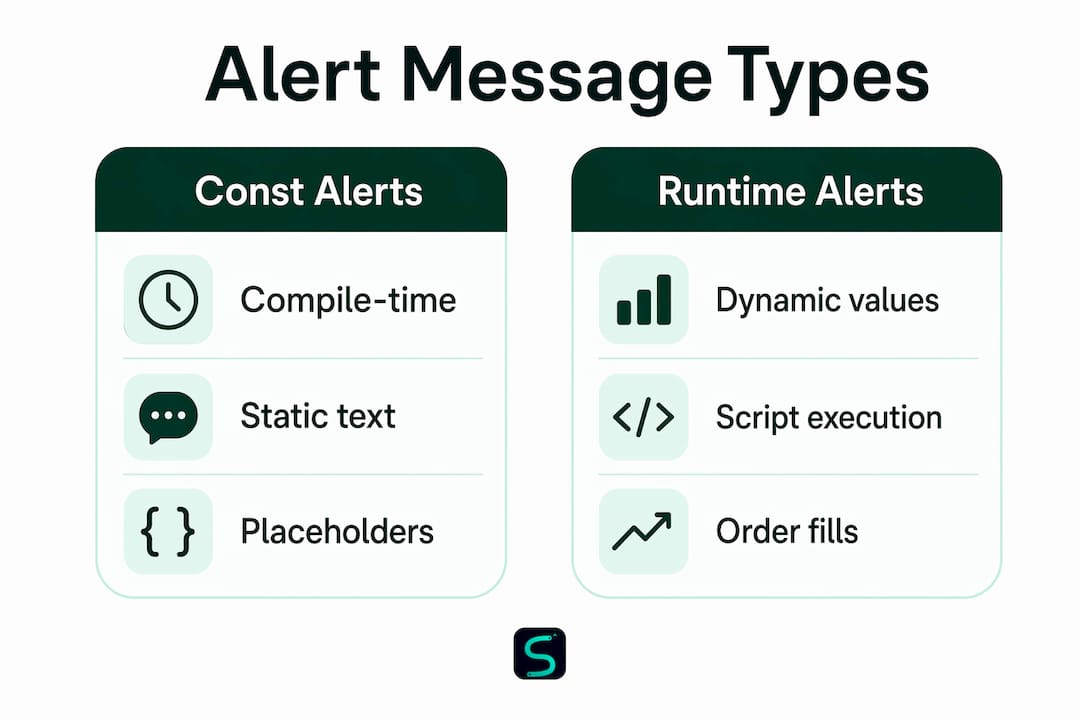
alertcondition() registers a named alert condition that users can select from the "Create Alert" dialog. Its signature:
alertcondition(condition, title, message)
condition— aseries boolthat evaluates to true when the alert should firetitle— aconst stringlabel shown in the alert panelmessage— aconst stringthat pre-fills the alert dialog's Message field
The message argument must be a const string, meaning its value is fixed at compilation. You cannot concatenate a variable like str.tostring(close) into it. Placeholders like {{close}} are the only mechanism for dynamic values.
//@version=6
indicator("MACD Alert Example", overlay=true)
[macdLine, signalLine, histLine] = ta.macd(close, 12, 26, 9)
plot(macdLine, "MACD", color.blue)
plot(signalLine, "Signal", color.orange)
bool crossUp = ta.crossover(macdLine, signalLine)
bool crossDown = ta.crossunder(macdLine, signalLine)
alertcondition(crossUp, "MACD Cross Up",
  "MACD cross up on {{exchange}}:{{ticker}}
price = {{close}}
volume = {{volume}}")
alertcondition(crossDown, "MACD Cross Down",
  "MACD cross down on {{exchange}}:{{ticker}}
price = {{close}}
volume = {{volume}}")
The alert() function
alert() works inside your script logic, fires when execution reaches it, and accepts a fully dynamic message. Its signature:
alert(message, freq)
message— aseries string, built at runtime from any script variablefreq— controls how often the alert fires per bar
Valid freq arguments:
| Frequency Constant | Behavior |
|---|---|
alert.freq_once_per_bar | First call per realtime bar only |
alert.freq_once_per_bar_close | Fires only when the bar closes |
alert.freq_all | Every call during the realtime bar triggers |
A minimal example using alert():
//@version=6
indicator("Simple alert() example")
plot(close)
alert("Close = " + str.tostring(close), alert.freq_once_per_bar_close)
The key architectural difference:
alertcondition()creates a named condition users select in the dialog.alert()fires programmatically from inside your script logic, with no user selection required. For complex, multi-variable messages,alert()wins every time.
When to use each:
- Use
alertcondition()when you want modular, reusable conditions that traders can enable independently from the alert dialog. - Use
alert()when your message needs runtime values, conditional logic, or JSON payloads for webhooks.
Pro Tip: Wrap alert() calls in if barstate.isrealtime to prevent them from firing on historical bars during script loading. Without this guard, you can flood your notification channel with phantom alerts.
What placeholders are available in TradingView alert messages?
Placeholders are the bridge between static alertcondition() messages and live market data; learn more with this Stock Portfolio Tracker for iPhone & Mac. They resolve at the moment an alert fires, pulling current values from the chart or indicator. Here is the full set of supported placeholders:
Price and bar data:
{{ticker}}— symbol ticker (AAPL, BTCUSD){{exchange}}— exchange name; delayed symbols append_DLor_DLY{{close}},{{open}},{{high}},{{low}}— OHLC values at alert fire time{{volume}}— bar volume as a fixed-point decimal{{time}}— bar open time in UTC, formattedyyyy-MM-ddTHH:mm:ssZ(e.g.,2019-08-27T09:56:00Z){{timenow}}— exact alert fire time, same UTC format, accurate to the nearest second{{interval}}— chart timeframe; note that price-based alerts always return"1"since they calculate on 1-minute bars
Symbol metadata:
{{syminfo.currency}}— currency code of the symbol (e.g.,"USD","EUR"){{syminfo.basecurrency}}— base currency for pairs (e.g.,"EUR"for EURUSD); returnsnafor non-pair symbols
Indicator output series:
{{plot_0}}through{{plot_19}}— the first 20 output series of the indicator attached to the alert{{plot("Plot Title")}}— reference a specific plot by its title string; requires single quotes wrapping the full message string
Strategy-specific:
{{strategy.order.alert_message}}— injects the customalert_messagestring defined instrategy.entry(),strategy.exit(),strategy.close(), orstrategy.order()
A practical example combining several placeholders in one alertcondition() message:
alertcondition(crossUp, "Long Alert",
  "Go long. RSI is {{plot_0}} on {{exchange}}:{{ticker}} at {{close}}")
For the {{plot("RSI")}} variant, the message string must use single quotes:
alertcondition(xUp, "xUp alert", message = 'RSI is bullish at: {{plot("RSI")}}')
Important limitations to know:
- Placeholders only work in
alertcondition()message strings. Thealert()function does not process them. Use string concatenation withstr.tostring()instead. {{plot_0}}maps to the firstplot()call in your script,{{plot_1}}to the second, and so on. Reordering plots changes which placeholder maps to which value.- The
{{interval}}placeholder returns"1"for all price-based alerts and Range chart alerts, regardless of the chart's displayed timeframe.
Practical alert message syntax examples you can use now
Seeing the syntax in real scenarios is where it clicks. These examples cover the most common patterns traders actually need.

Basic alertcondition() with placeholders
//@version=6
indicator("RSI Alert", overlay=false)
r = ta.rsi(close, 14)
xUp = ta.crossover(r, 30)
xDn = ta.crossunder(r, 70)
plot(r, "RSI")
alertcondition(xUp, "RSI Oversold Exit",
  "{{exchange}}:{{ticker}} RSI crossed above 30. Price: {{close}}, Volume: {{volume}}")
alertcondition(xDn, "RSI Overbought Exit",
  "{{exchange}}:{{ticker}} RSI crossed below 70. Price: {{close}}, Volume: {{volume}}")
Dynamic alert() with multiple indicator values
This pattern from the TradingView dynamic alerts blog shows how to check RSI, SMA, and Momentum in one script and fire descriptive alerts for each:
//@version=6
indicator("Multi-Indicator Alert", overlay=true)

f_triggerSma() =>
    _s  = ta.sma(close, 14)
    _co = ta.crossover(close, _s)
    _cu = ta.crossunder(close, _s)
    if _co
        alert("Price (" + str.tostring(close) + ") crossing up SMA (" + str.tostring(_s) + ")",
          alert.freq_once_per_bar)
    else if _cu
        alert("Price (" + str.tostring(close) + ") crossing down SMA (" + str.tostring(_s) + ")",
          alert.freq_once_per_bar)

f_triggerRsi() =>
    _r  = ta.rsi(close, 7)
    _co = ta.crossover(_r, 70)
    _cu = ta.crossunder(_r, 30)
    if _co
        alert("RSI (" + str.tostring(_r) + ") crossing up 70", alert.freq_once_per_bar)
    else if _cu
        alert("RSI (" + str.tostring(_r) + ") crossing down 30", alert.freq_once_per_bar)

plot(ta.sma(close, 14), "SMA")
f_triggerSma()
f_triggerRsi()
JSON-formatted webhook alerts
For webhook integrations with services like Discord or Telegram bots, you need valid JSON in the alert message. Pine Script has no native JSON builder, so you construct it as a string. Three approaches work, each with different tradeoffs:
//@version=6
indicator("JSON Alert Example", overlay=true)
float ema = ta.ema(close, 21)
bool crossUp = ta.crossover(close, ema)
bool crossDown = ta.crossunder(close, ema)
plot(ema)

// Method 1: Static JSON via alertcondition (no dynamic values)
string msg1a = '{"action": "buy", "text": "Price crossed above EMA"}'
alertcondition(crossUp, "Method 1 Buy", msg1a)

// Method 2: Placeholders for dynamic values in alertcondition
string msg2 = '{"price": {{close}}, "volume": {{volume}}, "ema": {{plot_0}}}'
alertcondition(crossUp, "Method 2 Buy", msg2)

// Method 3: Full dynamic string via alert() — most flexible
string msg3 = '{"price": ' + str.tostring(close) + ', "volume": ' + str.tostring(volume) +
  ', "ema": ' + str.tostring(ema) + '}'
if crossUp
    alert(msg3, alert.freq_once_per_bar_close)
When building JSON strings in Pine Script, always use double quotes for keys and string values inside the JSON payload. Single quotes are valid Pine string delimiters but are not valid JSON. A malformed payload will be rejected silently by most webhook endpoints.
Method 3 gives you the most control. You can include any calculated variable, format numbers with str.tostring(value, "#.00") for decimal precision, and build conditional fields. For webhook automation setups, this approach is the standard.
Pro Tip: When sending JSON to a Discord webhook, the message body format is {"content": "your text here"}. Wrap your entire Pine-constructed JSON string inside that outer structure, or Discord will return a 400 error.
Multi-symbol RSI alert
//@version=6
indicator("Multi-Symbol RSI Alert")

f_triggerRsi(_ticker) =>
    _r = ta.rsi(close, 7)
    _x = ta.crossover(_r, 70)
    _y = ta.crossunder(_r, 30)
    _rt = barstate.isrealtime
    [_rsi, _co, _cu, _rt_bar] = request.security(_ticker, timeframe.period, [_r, _x, _y, _rt])
    _msg = _ticker + ", " + timeframe.period + ": "
    if _co and _rt_bar
        alert(_msg + "RSI (" + str.tostring(_rsi) + ") crossing up 70",
          alert.freq_once_per_bar_close)
    else if _cu and _rt_bar
        alert(_msg + "RSI (" + str.tostring(_rsi) + ") crossing down 30",
          alert.freq_once_per_bar_close)

f_triggerRsi(syminfo.tickerid)
f_triggerRsi("NASDAQ:MSFT")
f_triggerRsi("FX:EURUSD")
Notice the _rt_bar guard. It ensures alerts only fire on realtime bars for each security, not on historical data during script initialization.
Troubleshooting common TradingView alert message problems
Most alert failures fall into a handful of repeatable patterns. Here is how to diagnose and fix each one.
Problem: Alert message shows static text instead of dynamic values
This happens when you try to use str.tostring(close) inside an alertcondition() message string. The message argument is a const string, so runtime values cannot be concatenated into it. Fix: switch to placeholders like {{close}} inside alertcondition(), or migrate to alert() for full dynamic control.
Problem: Phantom alerts firing on historical bars
If your alert() call sits outside an if barstate.isrealtime block, it executes on every historical bar when the script loads. This floods your notification channel with old data. The official fix is straightforward:
if barstate.isrealtime
    alert("Live bar alert: " + str.tostring(close), alert.freq_once_per_bar_close)
Problem: Strategy order alerts show empty or default messages
This is the most common strategy alert mistake. When you use the alert_message parameter in strategy.entry() or strategy.exit(), you must also include {{strategy.order.alert_message}} in the alert dialog's Message field. Without that placeholder, the custom message is never transmitted. The dialog sends its own default text instead.
Problem: {{plot_0}} returns the wrong indicator value
Plots are numbered by their order of appearance in the script, starting at zero. If you add or reorder plot() calls, the placeholder mapping shifts. Always verify which plot index corresponds to which output series before relying on {{plot_0}} through {{plot_19}} in production alerts.
Problem: {{interval}} always returns "1"
Price-based alerts (e.g., "AAPL crossing 150") always calculate on 1-minute bars, so {{interval}} correctly returns "1" regardless of your chart's timeframe. This is expected behavior, not a bug. For indicator or drawing alerts, the placeholder works as expected.
Troubleshooting checklist before deploying any alert:
- Confirm
alertcondition()messages use only placeholders for dynamic values, not concatenated variables - Wrap
alert()calls inif barstate.isrealtimeunless you specifically need historical bar alerts - Verify
{{strategy.order.alert_message}}is in the dialog Message field for strategy order alerts - Test with
alert.freq_alltemporarily to confirm the alert fires at all, then switch to your intended frequency - Check that JSON strings use double quotes for keys and string values
Pro Tip: Add a version or timestamp string to your alert message during testing, like "[v2] " + str.tostring(close). This makes it immediately obvious which version of your script fired a given alert, especially when iterating quickly on logic changes.
How to use alert messages in strategy scripts for order fills
Strategy scripts handle alerts differently from indicators. You have two distinct alert types: alert() function calls and order fill events. Each requires a different setup.
Using alert_message in order-generating functions
The alert_message parameter is available in strategy.entry(), strategy.exit(), strategy.close(), and strategy.order(). It accepts a series string, so you can build it dynamically from any script variable:
//@version=6
strategy("Strategy Alert Example", overlay=true)
r = ta.rsi(close, 20)
xUp = ta.crossover(r, 50)
xDn = ta.crossunder(r, 50)

if xUp
    strategy.entry("Long", strategy.long, stop=high,
      alert_message="Long entry executed. Stop: " + str.tostring(high) +
        ", RSI: " + str.tostring(r))
if xDn
    strategy.entry("Short", strategy.short, stop=low,
      alert_message="Short entry executed. Stop: " + str.tostring(low) +
        ", RSI: " + str.tostring(r))
For these custom messages to reach your notification channel, the alert dialog's Message field must contain {{strategy.order.alert_message}}. That placeholder is what links the script's alert_message argument to the actual alert output.
Signals vs. order fills: what fires when
| Alert type | What triggers it | Message source |
|---|---|---|
alert() call | Script execution reaches the call | Dynamic series string in code |
| Order fill event | Strategy order executes on the chart | alert_message param + dialog placeholder |
| Both combined | Either condition | Whichever fires first |
When creating a strategy alert, TradingView lets you choose to trigger on alert() events, order fill events, or both. For automated execution routing to a third-party engine, order fill alerts with custom alert_message strings are the right choice. For monitoring and notification, alert() calls give you more message flexibility.
Pro Tip: If only some of your strategy.*() calls include the alert_message parameter, orders without it will send an empty string where {{strategy.order.alert_message}} appears. Either add alert_message to every order function, or use a fallback default string to avoid blank notifications.
For traders building scalping indicator systems with precise entry and exit logic, the alert_message parameter is what makes each order notification carry actionable context rather than a generic fill confirmation.
Advanced best practices for writing and managing alert messages
Getting alerts to fire is the easy part. Getting them to stay reliable, maintainable, and useful as your scripts evolve takes deliberate structure.
Treat the script as the single source of truth. The alert dialog's Message field should contain as little logic as possible. Ideally, it holds only {{strategy.order.alert_message}} or a single alert() function call selection. When message logic lives in the dialog, it gets lost when you recreate alerts or share scripts. When it lives in the code, it travels with the script and stays under version control. Experts recommend keeping the dialog minimal and letting the script drive everything.
Name alertcondition() titles clearly and prune unused ones. Every alertcondition() call you add appears in the alert creation dialog. A script with 12 vaguely named conditions ("Alert 1," "Alert 2") creates confusion for anyone setting up alerts, including yourself six months later. Use descriptive titles: "RSI Oversold Cross Up," "EMA 21 Bullish Cross," "Volume Spike Above Average."
Build JSON payloads entirely in code. For webhook integrations, construct the full JSON string in Pine Script using str.*() functions and string concatenation. This approach, now standard among developers, eliminates placeholder dependencies and gives you complete control over the payload structure. You can include conditional fields, formatted decimals, and calculated ratios that no placeholder could provide.
Use str.tostring() with format strings for clean numbers. Raw float values in alert messages often produce ugly precision like 2052.2700000001. Pass a format string as the second argument: str.tostring(close, "#.00") gives you 2052.27. For volume, str.tostring(volume, "#,###") adds comma separators.
Guard complex logic with barstate.isrealtime. Any alert() call that should only fire on live price action needs this guard. Historical bar replay during script loading will otherwise trigger every condition that was true in the past. For scalping setups on 1m–15m timeframes, where dozens of bars load instantly, this produces hundreds of phantom alerts.
Combine multiple conditions into one descriptive message. Instead of separate alerts for each condition, build a single message string that describes the full confluence:
if rsiOversold and closeBelowEma and volumeSpike
    string msg = "Confluence short: RSI=" + str.tostring(rsiVal, "#.0") +
      ", EMA gap=" + str.tostring(close - emaVal, "#.00") +
      ", Vol=" + str.tostring(volume, "#,###")
    alert(msg, alert.freq_once_per_bar_close)
This single alert tells you more than three separate pings ever could.
Test frequency settings deliberately. Use alert.freq_all during development to confirm your condition fires at all. Switch to alert.freq_once_per_bar_close for production to avoid duplicate notifications on the same bar. For scalping strategies where intra-bar signals matter, alert.freq_once_per_bar is the right balance.
Pro Tip: Track your active alertcondition() definitions in a comment block at the top of your script. List the title, the condition it maps to, and the placeholder it uses. When you come back to a script after weeks away, that comment saves you from reverse-engineering your own logic.
Key Takeaways
TradingView alert message syntax splits into two systems: compile-time placeholder messages in alertcondition() and fully dynamic runtime strings in alert(), and choosing the right one determines whether your alerts are useful or just noise.
| Point | Details |
|---|---|
alertcondition() uses const strings | Its message is locked at compilation; use placeholders like {{close}} and {{plot_0}} for dynamic values. |
alert() enables full runtime messages | Build messages from any script variable using str.tostring() and string concatenation, bar by bar. |
| Strategy order alerts need a placeholder | Include {{strategy.order.alert_message}} in the alert dialog's Message field, or custom messages won't transmit. |
Guard alert() with barstate.isrealtime | Without this condition, alerts fire on historical bars during script loading, flooding your notification channel. |
| JSON payloads belong in code | Construct webhook JSON strings entirely in Pine Script for full control and reliable webhook integration. |
Take your alerts further with Scalping-algo
[Image illustrating the Scalping-algo premium Pine Script indicators and alert message architecture]
Understanding the syntax is step one. Putting it to work in a live trading system is where it pays off. Scalping-algo's premium Pine Script indicators are built on Pine Script v6 with native webhook alerts pre-configured, so the alert message architecture covered in this guide is already built into every signal. Real-time, non-repainting buy and sell signals on 1m–15m timeframes, with alert messages formatted for direct Discord routing right out of the box.
If you want to see how a professional-grade alert system integrates with a full indicator suite, the Algo Master 3-indicator system shows exactly how alert() calls, alert_message parameters, and JSON webhook payloads work together in a production scalping setup.