
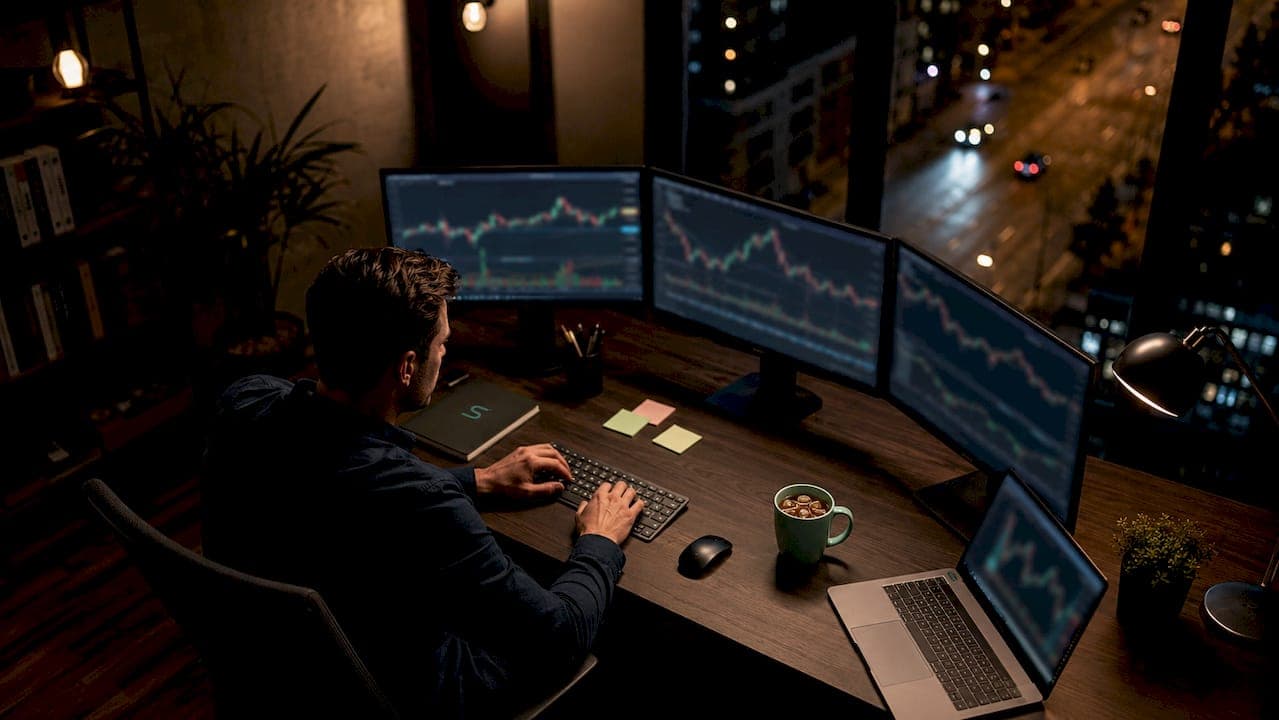
A trading command center is defined as a unified, single-interface dashboard that consolidates execution tools, risk management systems, and market analytics into one structured workspace. The term "command center" is informal but widely used. The recognized industry equivalent is a unified trading dashboard or integrated trading terminal. Whatever you call it, the function is the same: one place to scan, validate, confirm, execute, and manage every trade. Scalping-algo builds this concept directly into its platform, giving traders a dashboard that combines alerts, backtesting, signals, and education in one environment.
What is command center in trading: core definition and purpose
A trading command center is a centralized workspace where traders monitor multiple symbols, manage open positions, and enforce risk rules without switching between separate apps or windows. The key word is unified. Fragmented setups force traders to context-switch constantly, which slows decisions and increases errors. A command center eliminates that friction by pulling every critical data stream into one view.
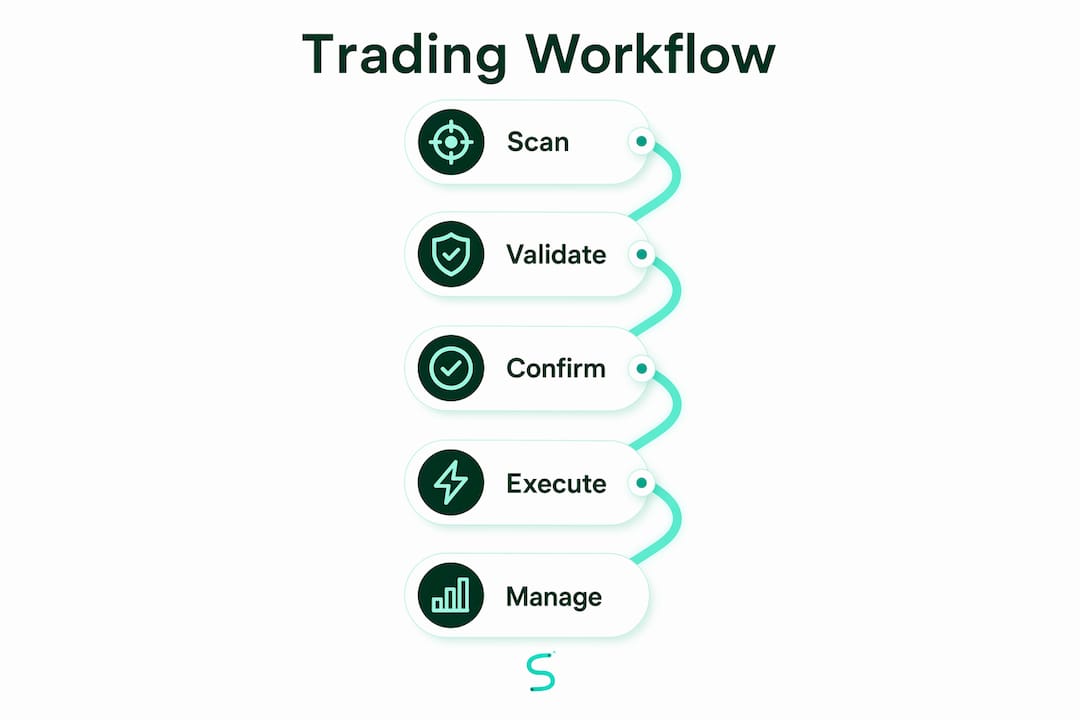
The structured workflow inside a command center follows five steps: Scan, Validate, Confirm, Execute, Manage. Each step has a defined purpose. Scanning identifies potential setups across multiple instruments. Validation checks those setups against confluence criteria. Confirmation waits for a trigger signal. Execution sends the order. Management monitors the live position against risk limits. This sequence turns reactive trading into a repeatable process.

Market integrity depends on transparent, rule-based processes. A command center enforces those rules automatically, removing the temptation to override limits in the heat of a trade. That is the core value proposition: discipline built into the interface itself.
What features and tools make up a trading command center?
Command centers vary in complexity, but the most effective ones share a common set of components. Understanding each component helps you evaluate whether a given dashboard fits your trading style.
- Multi-symbol scanner. Monitors dozens of instruments simultaneously and flags setups meeting predefined criteria. This replaces manual chart-flipping.
- Integrated risk controls. Sets hard limits on daily loss, maximum lot size, and equity drawdown. The system enforces these automatically, not just displays them.
- Market analytics panel. Aggregates trend indicators, volume data, and order flow into a readable summary. Common indicators include EMAs, VWAP, RSI, and MACD.
- Confluence scoring. About 85% of professional traders use two or more indicators to confirm entries. Confluence scoring combines those signals into a single buy/sell strength score, so you see conviction at a glance rather than reading five separate charts.
- Execution controls. Lot size calculators, drag-and-drop stop placement, and one-click order entry all live inside the dashboard. No need to open a separate order window.
- Alerts and notifications. Real-time alerts fire when setups form or risk thresholds approach. Webhook-based alerts push notifications directly to Discord or other platforms for instant awareness.
Customization matters here. A scalper trading the 1-minute chart on crypto needs different default settings than a swing trader working the 4-hour chart on forex. The best command centers let you configure every parameter without touching code.
Pro Tip: Build your command center layout around your workflow, not around what looks impressive. If you never use the options Greeks panel, hide it. Visual clutter costs you reaction time.
How does a trading command center work in practice?
The operational flow of a command center is what separates it from a standard charting platform. Here is how the five-step workflow plays out in real trading conditions.
- Scan. The dashboard monitors a watchlist of symbols and highlights any that meet your setup criteria, such as a breakout above VWAP with RSI above 55.
- Validate. The confluence scoring panel checks whether multiple indicators agree. A setup scoring 4 out of 5 confluence factors carries more weight than one scoring 2 out of 5.
- Confirm. The system waits for a trigger, typically a candle close or a volume spike, before signaling entry readiness.
- Execute. The trader clicks once. The platform calculates lot size based on current account equity and the predefined risk percentage, then sends the order.
- Manage. The dashboard tracks the live position in real time. Position updates occur as fast as every 200ms, keeping risk metrics current even during fast market moves.
The risk enforcement layer is where command centers earn their keep. Visual "health bars" deplete as you take on more risk during a session. When you hit your daily loss limit, the dashboard displays a TRADING STOPPED label and blocks new orders. This is not a suggestion. The system enforces it. That hard stop prevents the most common and costly trader behavior: revenge trading after a losing streak.
Manual accountability features add another layer. Some command centers require you to log a brief P&L note after every trade. That friction is intentional. Forcing P&L input after each trade engages your cognitive control and reduces emotional decision-making. Automation handles execution speed. Manual input handles psychological discipline. Both are necessary.
Pro Tip: Set your daily loss limit before the market opens, not after you take your first loss. Pre-session rule-setting removes the temptation to adjust limits mid-session.
What specialized roles do command centers serve in crypto and options trading?
Command centers adapt to the specific demands of different asset classes. Two sectors where this specialization matters most are crypto and options.
Crypto trading applications
Crypto markets run 24 hours a day and move faster than most traditional markets. A crypto-focused command center aggregates depth-of-market (DOM) data and order flow to reveal institutional activity. Crypto dashboards prioritize order flow and cumulative delta over lagging indicators like RSI or MACD. This "cause before effect" approach means you see buying and selling pressure as it happens, not after the price has already moved. For scalpers working the 1-minute to 5-minute timeframes, that timing advantage is significant. You can read more about tools built for scalpers to understand how these dashboards are structured.
Options trading applications
Options command centers solve a different problem. Options traders manage multiple positions across different strikes, expirations, and strategies simultaneously. A standard trading journal cannot handle that complexity. Advanced options command centers aggregate portfolio Greeks, capital usage, and P&L at the strategy level, not just the position level. The table below shows how this compares to a standard journal approach.
| Feature | Standard trading journal | Options command center |
|---|---|---|
| Position grouping | Manual, by date | Automatic, by strategy (e.g., iron condor) |
| Greeks visibility | Not available | Aggregated delta, gamma, theta, vega |
| Capital usage tracking | Manual calculation | Real-time, per strategy |
| Risk at strategy level | Requires spreadsheet | Built-in aggregation |
| P&L view | Trade by trade | Portfolio and strategy level |
- Automatic strategy grouping (iron condor, vertical spread, covered call) removes manual sorting.
- Aggregated Greeks show your net portfolio exposure in seconds.
- Capital requirement tracking prevents over-allocation across multiple positions.
- Strategy-level P&L gives a clearer picture of what is actually working.
What are the benefits of using a trading command center?
The benefits of a command center are concrete and measurable in daily trading performance.
Situational awareness. A single screen shows your open positions, current market state, and pending alerts at the same time. You never miss a developing setup because you were watching a different chart. Professional traders use command centers as external brains that merge micro and macro risk methods simultaneously.
Automated risk enforcement. Daily loss limits, maximum lot sizes, and drawdown caps are enforced by the system, not by willpower. This is the single most important benefit for traders who struggle with discipline. A full risk management checklist can help you configure these parameters correctly from the start.
Faster execution. Lot size calculation, stop placement, and order entry happen inside one interface. Removing the steps between decision and execution reduces slippage and hesitation.
Confluence-based confidence. When five indicators agree, you trade with conviction. When only two agree, you wait or reduce size. The scoring system makes that judgment automatic rather than subjective.
Reduced emotional trading. Visual accountability tools and hard stops remove the two most destructive trader behaviors: overtrading and revenge trading. Real-time alerts reinforce rule adherence throughout the session.
"The best command center is not the one with the most features. It is the one that stops you from making your worst trades."
Understanding risk management fundamentals is the foundation. A command center is the tool that enforces those fundamentals in real time.
My take on where command centers are heading
Command centers have moved from a professional-only tool to something every serious retail trader should use. I have watched traders run five separate windows, a spreadsheet for risk, and a phone for alerts, then wonder why their execution is inconsistent. The answer is always the same: fragmented information produces fragmented decisions.
The most underrated feature in any command center is order flow visibility. Most traders still rely on RSI and MACD as their primary signals. Those indicators tell you what already happened. Order flow and DOM data tell you what is happening right now. That distinction separates traders who react to the market from traders who read it ahead of time.
Manual accountability features are equally underrated. Automated systems handle speed. But discipline is a human problem. Requiring a trader to log a note after every loss forces a moment of reflection that pure automation cannot replicate. The best command centers combine both.
The next evolution is AI-assisted pattern recognition layered on top of existing command center frameworks. We are already seeing early versions of this in confluence scoring engines. The direction is clear: less noise, faster signal, harder guardrails. Traders who build their workflow around a command center now will adapt to those upgrades far more easily than traders still running disconnected setups.
— Tran
Scalping-algo's indicators and your command center workflow
Scalping-algo builds premium TradingView indicators in Pine Script v6 that slot directly into command center workflows. The indicator suite generates real-time, non-repainting buy and sell signals on timeframes from 1 minute to 15 minutes, with built-in confluence scoring, volatility gating, and divergence detection.
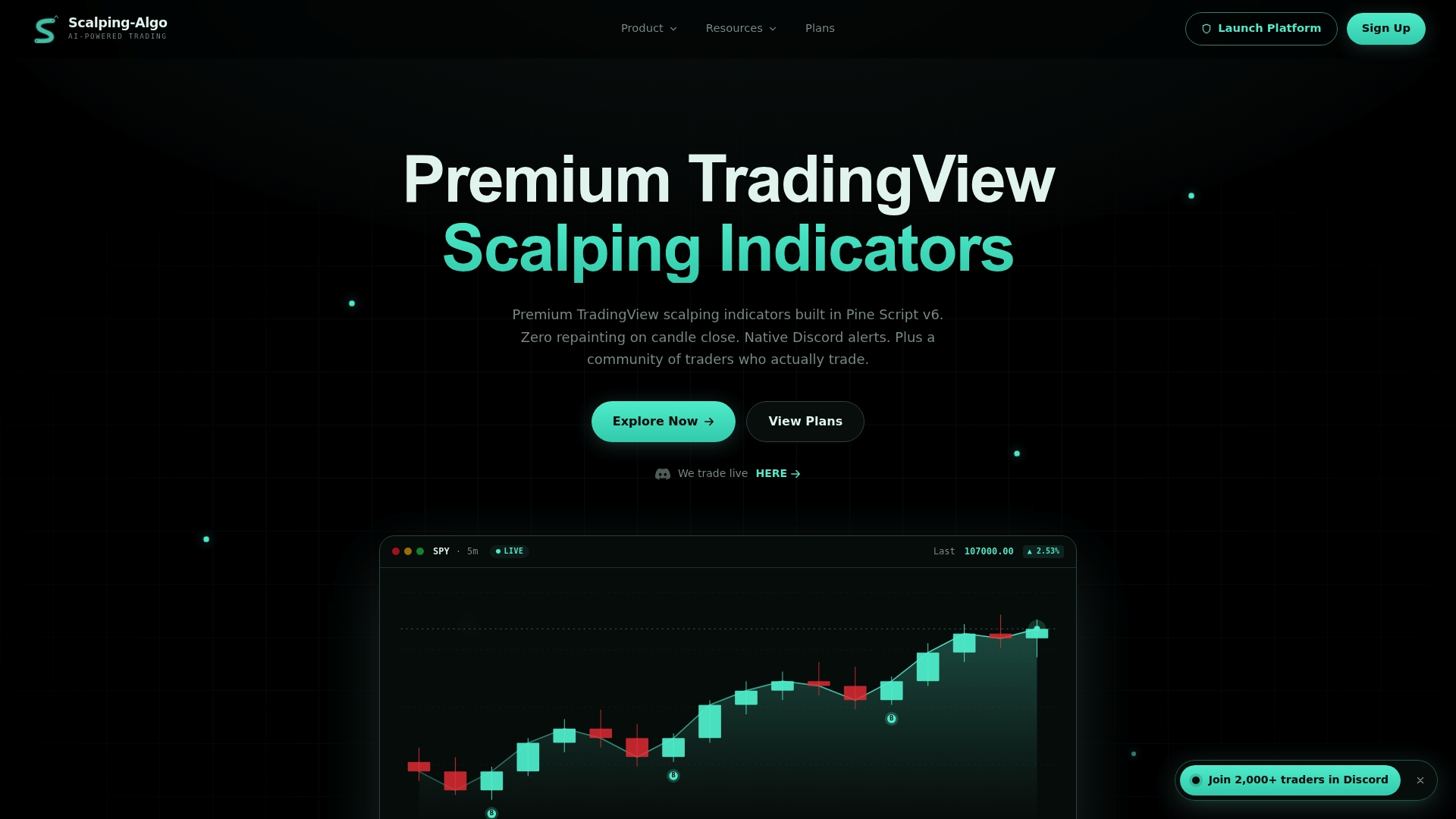
The Scalping-algo Command Center dashboard integrates alerts, backtesting results, live signals, and education resources in one place. Native webhook alerts push directly to Discord for instant execution support. Whether you trade crypto, forex, indices, or futures, the platform gives you institutional-grade indicators built for individual traders. All scripts are open-source and designed around strict safety parameters.
Key takeaways
A trading command center is the single most effective tool for consolidating execution, risk enforcement, and market analytics into one repeatable workflow.
| Point | Details |
|---|---|
| Core definition | A command center unifies execution, analytics, and risk controls into one structured dashboard. |
| Five-step workflow | Scan, Validate, Confirm, Execute, and Manage form the repeatable process inside every command center. |
| Risk enforcement | Automated daily loss limits and visual health bars stop emotional and revenge trading before it starts. |
| Confluence scoring | Combining EMA, VWAP, RSI, MACD, and volume into one score improves entry confidence and reduces guesswork. |
| Specialized uses | Crypto command centers prioritize order flow; options command centers aggregate Greeks and strategy-level P&L. |
FAQ
What is a trading command center?
A trading command center is a unified dashboard that consolidates execution tools, risk management systems, and market analytics into one interface. It follows a structured workflow: Scan, Validate, Confirm, Execute, and Manage.
How does a command center improve risk management?
Command centers enforce risk rules automatically through daily loss limits, maximum lot sizes, and equity drawdown caps. Visual indicators like health bars and "TRADING STOPPED" labels make limit breaches impossible to ignore.
What is confluence scoring in a command center?
Confluence scoring combines signals from multiple indicators, such as EMA, VWAP, RSI, and MACD, into a single buy/sell strength score. Professional traders rely on multiple indicators to confirm entries, and confluence scoring automates that process.
How fast do command centers update position data?
Most professional command centers update position and risk metrics as frequently as every 200 milliseconds. That speed keeps risk compliance current even during fast-moving market conditions.
Do command centers work for crypto trading?
Yes. Crypto-focused command centers aggregate DOM and order flow data to show institutional buying and selling pressure in real time. This cause-before-effect approach gives scalpers a timing advantage over traders relying on lagging indicators alone.